
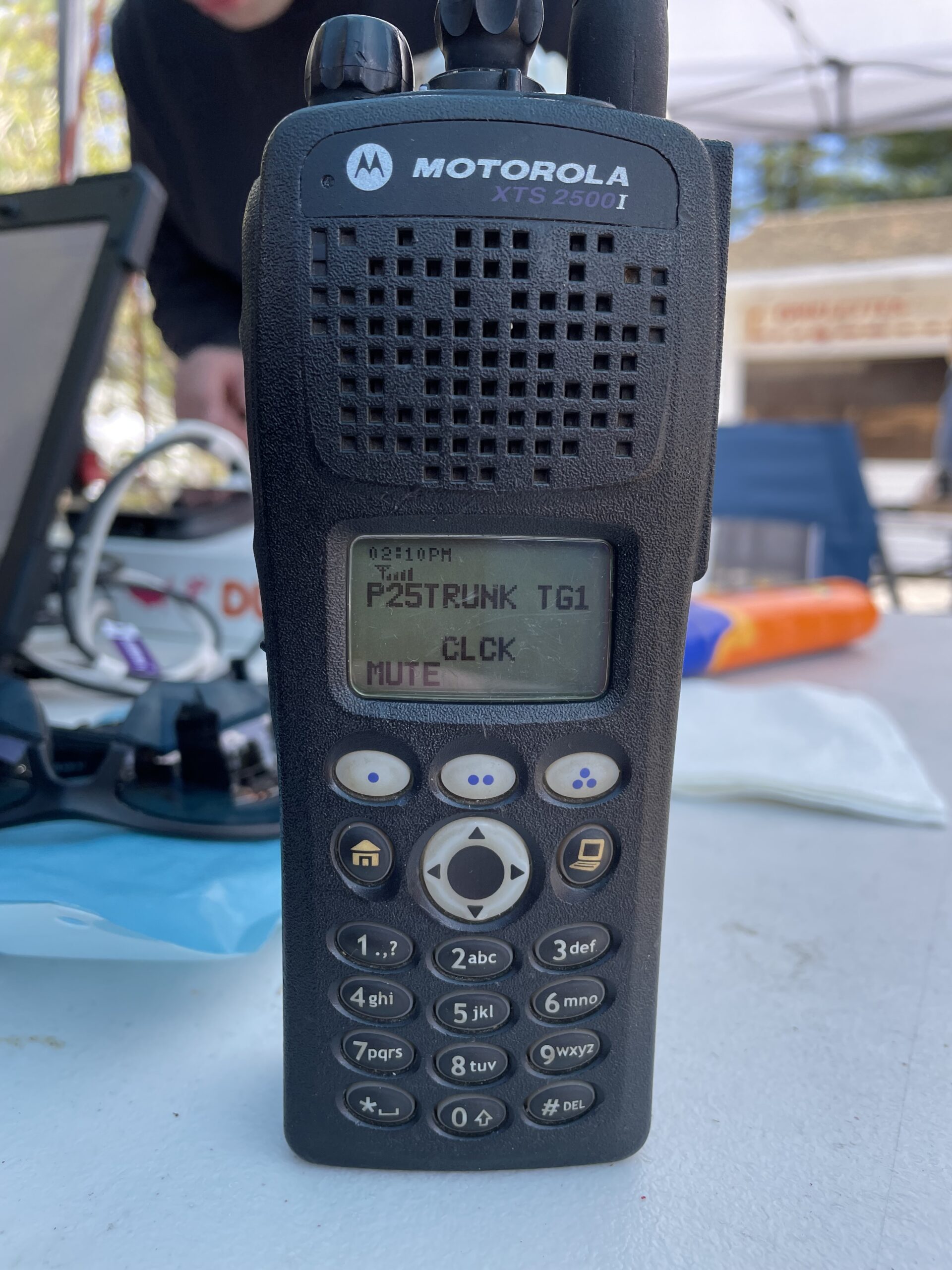
I’ve talked to a few different people lately about these radios. I’m a big fan of them. The programming software has a fairly steep learning curve, though. This is an attempt at giving an overview of it. There’s lots to it, but I hope to hit a few highlights here.
Versions
Motorola has separate versions for portable and mobile radios. You want to look for:
- ASTRO25 Mobile CPS R20.01.00 or
- ASTRO25 Portable CPS R20.01.00
I believe R20.01.00 was the last release of each of them.
Installing them also includes a Tuner application. This is meant to be used by a radio service shop (really, the initial target audience of the software itself) with a service monitor to adjust deviation, calibrate the radio precisely on-frequency, etc.
There exists a version of CPS called Depot. It is not supposed to be out there: it was meant for use at Motorola’s repair depot. It allows doing things like entering a new Flashcode to enable new features, and discussion of it on the Internet is generally taboo. This post doesn’t deal with Depot, and I can’t help you find it. This post does assume you already have the programming software.
Getting Started
You will want to read the radio. Ideally, this is as easy as doing File -> Read radio, or pressing Ctrl+R. This is pretty straightforward if you have a good USB programming cable. Doing it over serial and finding the right COM port can be a headache.
When I read my radio, I get something like this:
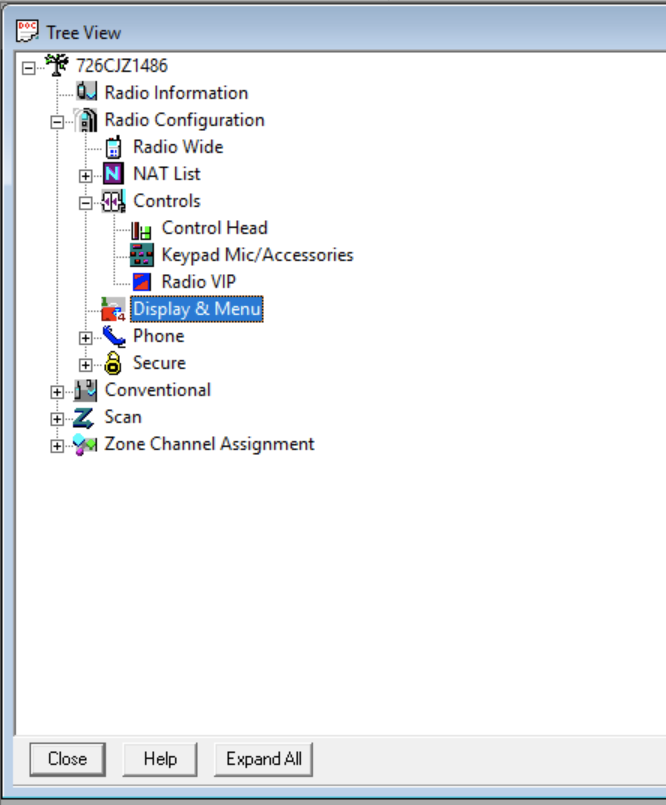
At the top of the tree view is the radio’s serial number. That’s meant to be a tree to the left of the serial number; cute, right? For context, this is my 900 MHz mobile radio. There will be some minor difference on a portable — like “Control Head” won’t be there, but you’ll have something like “Buttons and Switches” I think. Overall it’s very similar.
As you expand the different menus, you’ll see that there’s a lot of stuff. Don’t get too worried, though: lots of it is stuff you’ll probably never use. There are a few places I’d like to draw your attention, though:
- Radio Configuration ⇾ Controls is where you can customize what the buttons and knobs do, as well as which menu items are shown. (More isn’t necessarily better.)
- Conventional ⇾ Conventional Personality is where you’ll define personalities. More on this later.
- Conventional ⇾ ASTRO Systems ⇾ ASTRO System is where you’ll set up your P25 radio ID. (You can use the ASTRO Call List to assign aliases to your friends’ radio IDs, too!)
- Scan is, unsurprisingly, where you’ll set up Scan Lists.
- Zone Channel Assignment is where you’ll input frequencies, channel names, PL tones, NACs, etc.
High-level overview
This section was meant to be a quick overview but kinda turned into a long diatribe.
A Zone is a group of channels, comparable to a Bank in scanners. You can almost picture it as a “folder” of channels. On portables, you’re typically implicitly limited to 16 channels per zone since the knob only has 16 positions. (You can actually program more and use the menu to get to them — or, in advanced setups, define channels you can’t select but can scan.) A mobile has no such limit.
I typically like to keep a small zone of oft-used stuff: a few local ham repeaters, and my local police and fire. Most of my other zones are geographic: I have a Greater Lowell zone, a Southern NH zone, a Concord (NH) Area zone, etc., with some overlap between them. But, how you program things is totally up to you.
A scan list is a list of channels to scan. You can have multiple scan lists, but at any given time you’re only using one.
The Personalities thing is a powerful but potentially confusing Motorola-ism.
Scan lists
On some (most?) brands of radios, the default behavior is to scan all of the channels in the zone you’re on. This makes a whole lot of sense and is intuitive.
Motorola was more… creative… and doesn’t do that. You define a “scan list” and enumerate the channels you want to scan. Then you assign one or more personalities to that scan list. More on this later.
Scan lists are only identified by their number. It would be super helpful if you could name them (“Local Ham Repeaters”, “Boston Public Safety”), but you cannot. It would not be crazy to write down a list with descriptions.
If you set a channel up as Priority, you would have audio drop out very briefly once or twice a second when listening to a non-priority channel, as the radio quickly checks for activity on the priority channel. I hate this and never use priority scan.
Personalities
You can assign each channel to a Personality.
A personality:
- Defines whether the radio transmits in analog or digital
- Defines whether the radio receives analog, digital, or mixed-mode (I always do mixed-mode)
- Defines whether a channel is receive-only or not
- Defines the scan list used
- Defines the ASTRO System (and thus the radio ID you transmit), as well as an MDC System (if you’re doing MDC1200)
It’s a simple concept, but I often end up having to write out a mapping of personalities and scan lists. I usually start something like this:
- Personality 1 transmits analog, receives mixed-mode
- Personality 2 transmits digital, receives mixed-mode
- Personality 3 is receive-only, mixed-mode
And then when I’m entering channels, it’s easy enough to toggle.
Note that for mixed-mode ham repeaters, you normally set up two channels. Both receive mixed-mode, so you hear everything, but one transmits analog and one transmits digital. (Protip: it didn’t occur to me at first, but you only need to put one of the two channels in your scan list.)
Personalities are only identified by their number. It would be super helpful if you could name them (“Analog Transmit”, “Receive Only”, etc.), but you cannot. It would not be crazy to write down a list with descriptions.
The problem is that scan lists are tied to personalities, and as you load up tons of channels, you end up having to define new personalities to match new scan lists. In my example above, I needed a new couple new personalities for my “Southern NH” zone, to scan those channels.
Scan and Personalities
This is the really confusing intersection. You have a lot of power, but it’s easy to shoot yourself in the foot.
For example, I once goofed scan list numbers in the personality configuration. I had two zones, one for Boston Fire and one for Boston PD. When I selected the Boston Fire zone, it scanned the police channels, plus the channel I was on. When I selected the Boston Police zone, it scanned the Boston Fire channels, plus the channel I was on. It’s easy to have the completely wrong stuff being scanned.
Conversely, you can use this to do some wonky stuff on purpose. I also have a zone called “Greater Lowell” that scans police and fire for the general area. My local police and fire channels are programmed with a personality that only scans those two channels (Lowell PD and FD). The other towns are all part of a personality that has a scan list including all of them, including Lowell PD and FD. This lets me adjust what’s being scanned by changing the channel: if I park the radio on local police or fire, I only hear local activity. If I park it on one of the other channels, I hear everything.
It becomes helpful to keep a list of personalities and what they scan as your configuration grows.
Everything Mixed-Mode
Not everyone agrees with this, but I have all of my personalities set up for mixed-mode receive. I didn’t want to deal with all the permutations of receive-only analog, receive-only digital, etc. RX is always mixed mode, then I only care about transmit: analog, P25, or none.
There is one important note here: on channels that are actually P25-only, I set a random PL tone on receive. (I actually do DPL 023, because it’s easier for me to hit the box and type “D” on the home row than “P” for PL. 023 is the default if you just select DPL.) If you put in a P25 NAC but don’t configure a PL/DPL, the radio is in CSQ mode and will unmute for any random noise on the channel, which happened surprisingly often. With the DPL configured, the radio won’t unmute unless my P25 signal is there, or there happens to be a co-channel user with D023, which is yet to be a problem.
Note that the inverse isn’t much of a problem: listening to an actually-analog-only channel in mixed-mode, if it happens to pick up a P25 signal, it’s something real, not random noise. Not too many public safety agencies actually use the default NAC of 293.